ONE PLATFORM.
EVERY TOOL YOUR FFL NEEDS.
Point of sale. Inventory with serial tracking. Accounting. eCommerce. Distributor integrations. Range management. Compliance. All running on one system — no bolt-ons, no export/import, no data silos.
One connected operating system
FFLERP: one connected operating system for federally licensed firearms businesses.
Instead of running a POS, website, accounting package, inventory spreadsheet, distributor ordering process, and compliance workflow as separate systems, FFLERP puts them in one database.
Sales update inventory. Inventory drives purchasing. Purchasing updates accounting. Firearm transactions trigger compliance workflows. Online orders flow into fulfillment. Reporting sees the whole business.
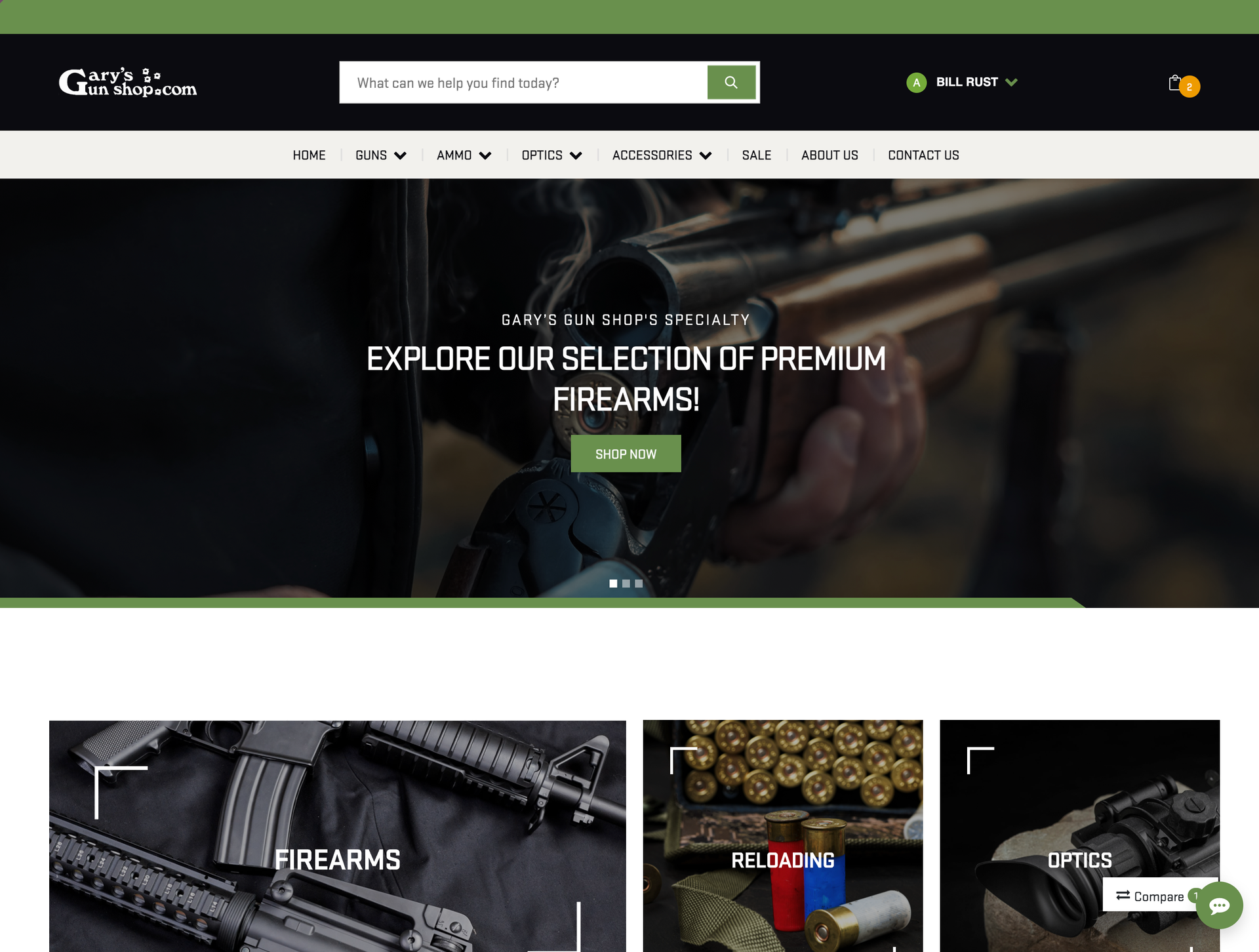
Sell online without a separate platform
Most gun stores are running two businesses at once — a retail store and an online store — with two completely separate systems that don't talk to each other. When a product sells at the counter, the website still shows it in stock until someone remembers to update it. That someone is usually whoever has a free minute, which means it doesn't happen fast enough. Online orders land in a separate inbox, get processed separately, and have to be manually reflected in your actual inventory. Your eCommerce person is doing double entry on every transaction, and your inventory counts are always slightly wrong on one platform or the other.
Your website, online store, and ERP share one database. Products published to your site pull live inventory. Orders flow directly into fulfillment. No plugins, no sync issues, no third-party fees.
- Drag-and-drop page builder
- Product pages with attributes — caliber, action, manufacturer
- SEO tools — meta descriptions, URL slugs, auto-sitemaps
- Guest or registered checkout with real-time shipping rates
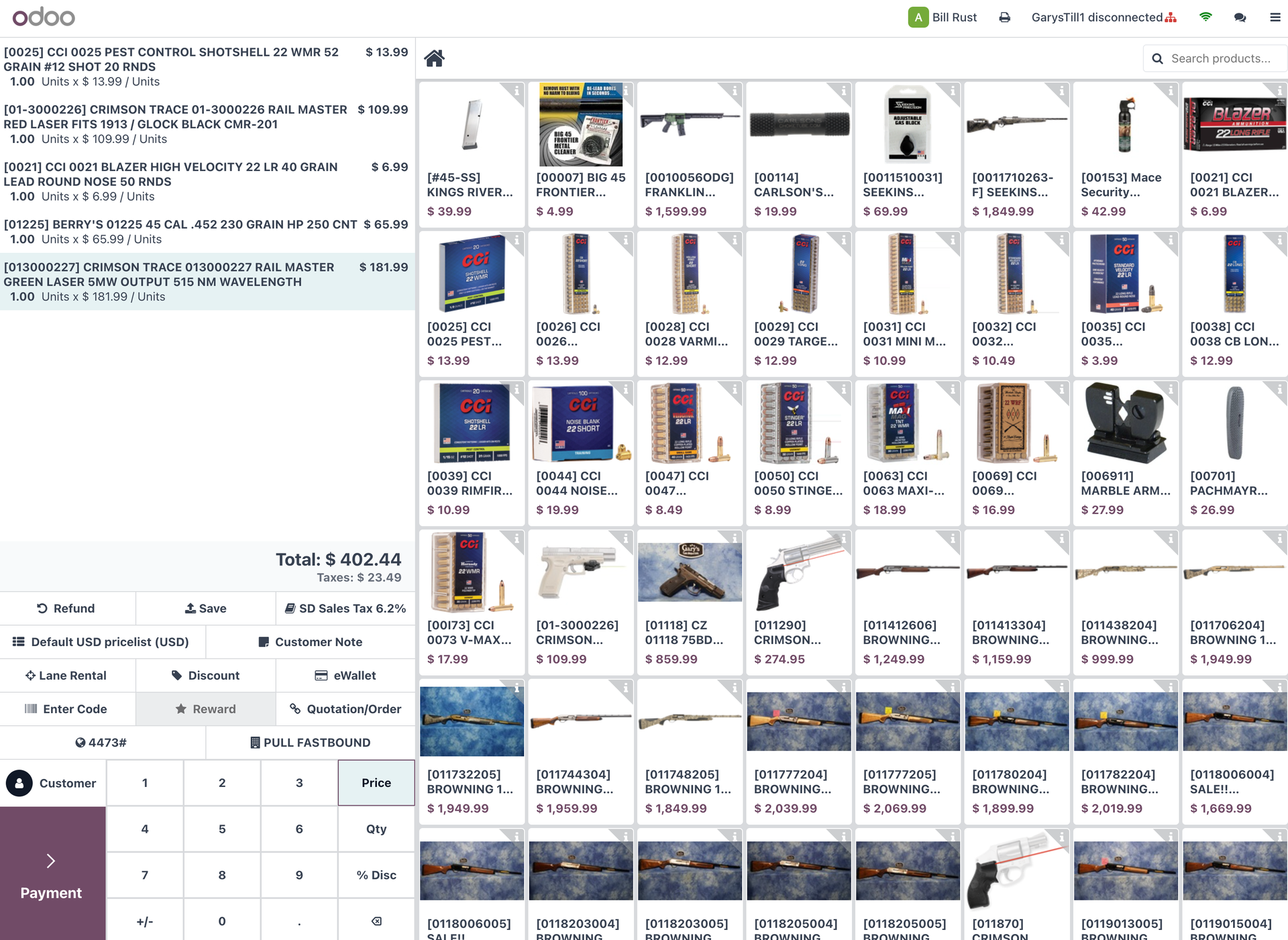
Ring up sales the way a gun store should
Generic retail POS systems weren't built for a gun store. They handle the cash transaction fine, but the moment you need to tie a serial number to a sale, flag a compliance event, or fulfill an order that was placed online, you're jumping to another system to finish the job. The counter staff rings the sale, then someone else handles the rest — manually, after the fact. Nothing about that process is connected, and when something falls through the cracks between systems, it usually falls on the customer or the FFL log to figure it out.
A modern POS built for firearms retail. Scan barcodes, process payments, manage cash drawers, and print receipts — all from any browser-equipped device. No proprietary hardware lock-in.
- Barcode scanning with any USB or Bluetooth HID scanner
- Cash, credit, split payments with session reconciliation
- Customer-facing display on any second screen (optional)
- End-of-day cash counts and session close reports
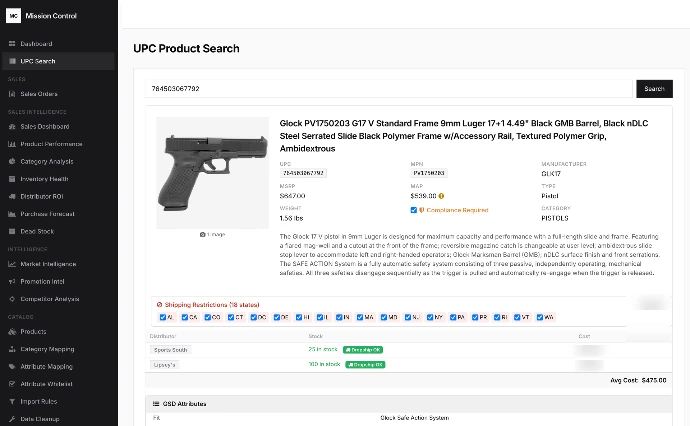
80,000+ products from all distributors in one view
Your counter staff fielding a product request shouldn't need to bounce between four distributor portals to answer a basic availability question. But that's exactly what happens in most shops. One login for RSR, another for Lipsey's, another for Sports South — each with their own search, their own pricing display, their own way of showing stock. If a customer hands you a UPC or asks you to price-match something they saw online, you're doing manual research in real time while they wait at the counter.
No more switching between browser tabs. See every distributor's inventory, pricing, and availability in a single catalog inside your system.
- Live inventory from RSR, Lipsey's, Sports South, Davidsons, Chattanooga, and more
- Compare pricing across all sources instantly
- Search by UPC, normalized (clean) data is returned
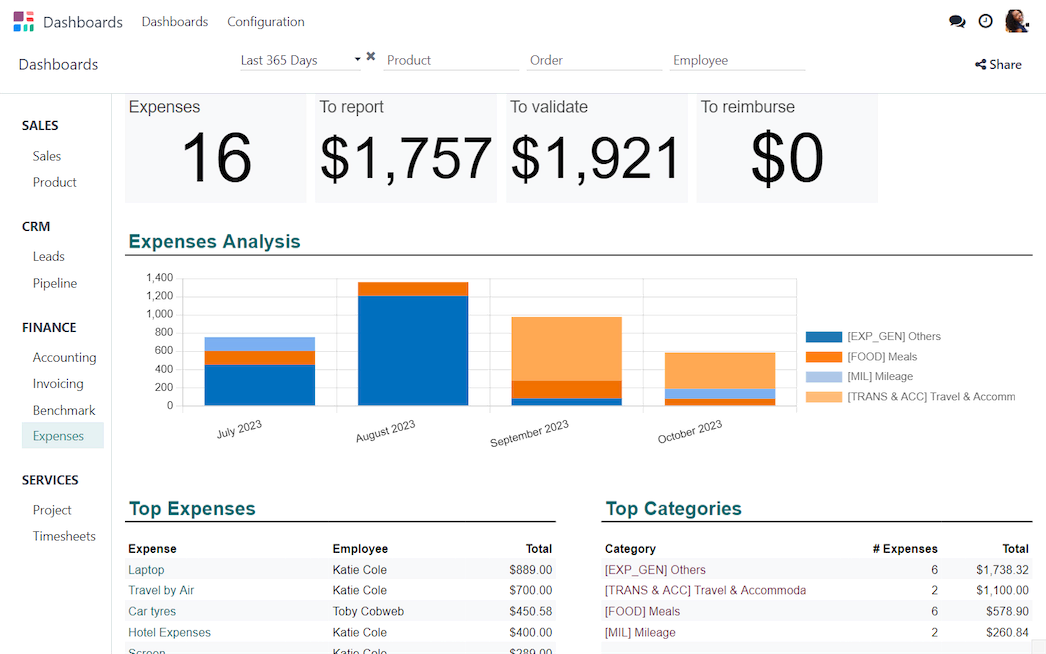
Books that close themselves
The bookkeeper in most gun stores is working with data that started somewhere else. POS closes out for the day, and that data has to get into the accounting system somehow — usually by hand, or through an export that needs cleanup. Distributor invoices are separate. Credit card batches are separate. By the time everything is entered and reconciled, you've spent the better part of a week on a month that should have been straightforward. And if the POS numbers don't match the bank, you're working backward through transactions to find where things diverged.
Double-entry bookkeeping with automated bank reconciliation. POS sales, distributor bills, and customer invoices all post to your general ledger automatically. Your CPA will thank you.
- Automated bank statement import and reconciliation
- Vendor bill management for distributor invoices
- Multi-jurisdiction sales tax with per-line overrides (via TaxCloud)
- P&L, Balance Sheet, Aged Receivable/Payable reports
- Duplicate detection for vendor bills across draft and posted entries
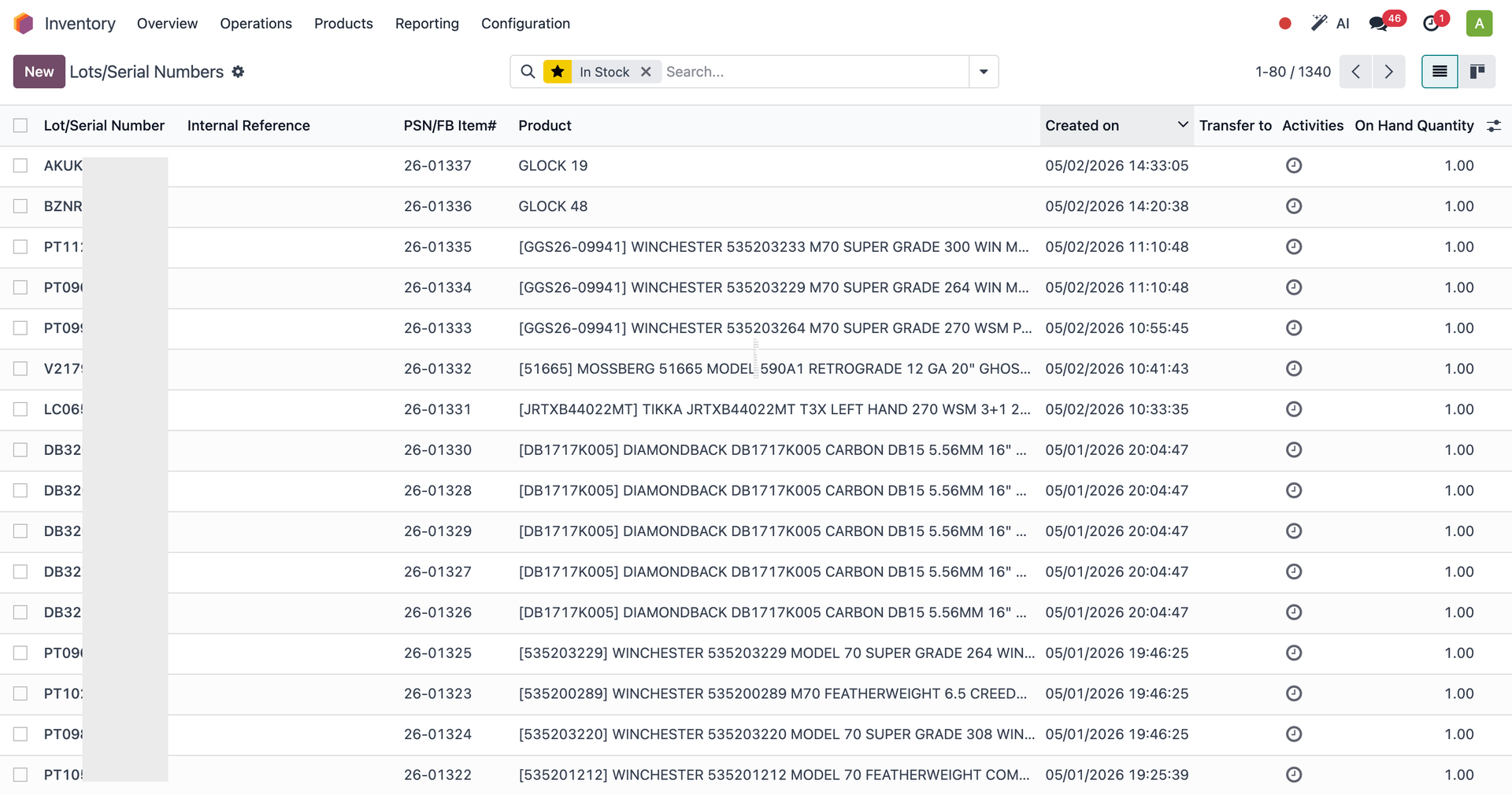
Every serial number. Every location.
The federal requirement to track serial numbers is clear. What's less clear is how most shops actually do it — a combination of FastBound for compliance, the POS for the sale, and sometimes a third record for the website listing. These systems don't share data, so "where is this firearm right now" requires checking more than one place. At a single-location store that's manageable, barely. At two or three locations, it becomes a real problem when you need to locate a specific unit quickly or reconstruct a chain of custody.
ATF compliance starts with knowing exactly where every firearm is. Serial number tracking from receiving to sale.
- Serial number tracking with full chain-of-custody traceability
- Automatic reorder rules — POs generated when stock hits minimum
- Multi-location: retail floor, back stock, safe, FFL transfer area
- Barcode operations for receiving, picking, and adjustments
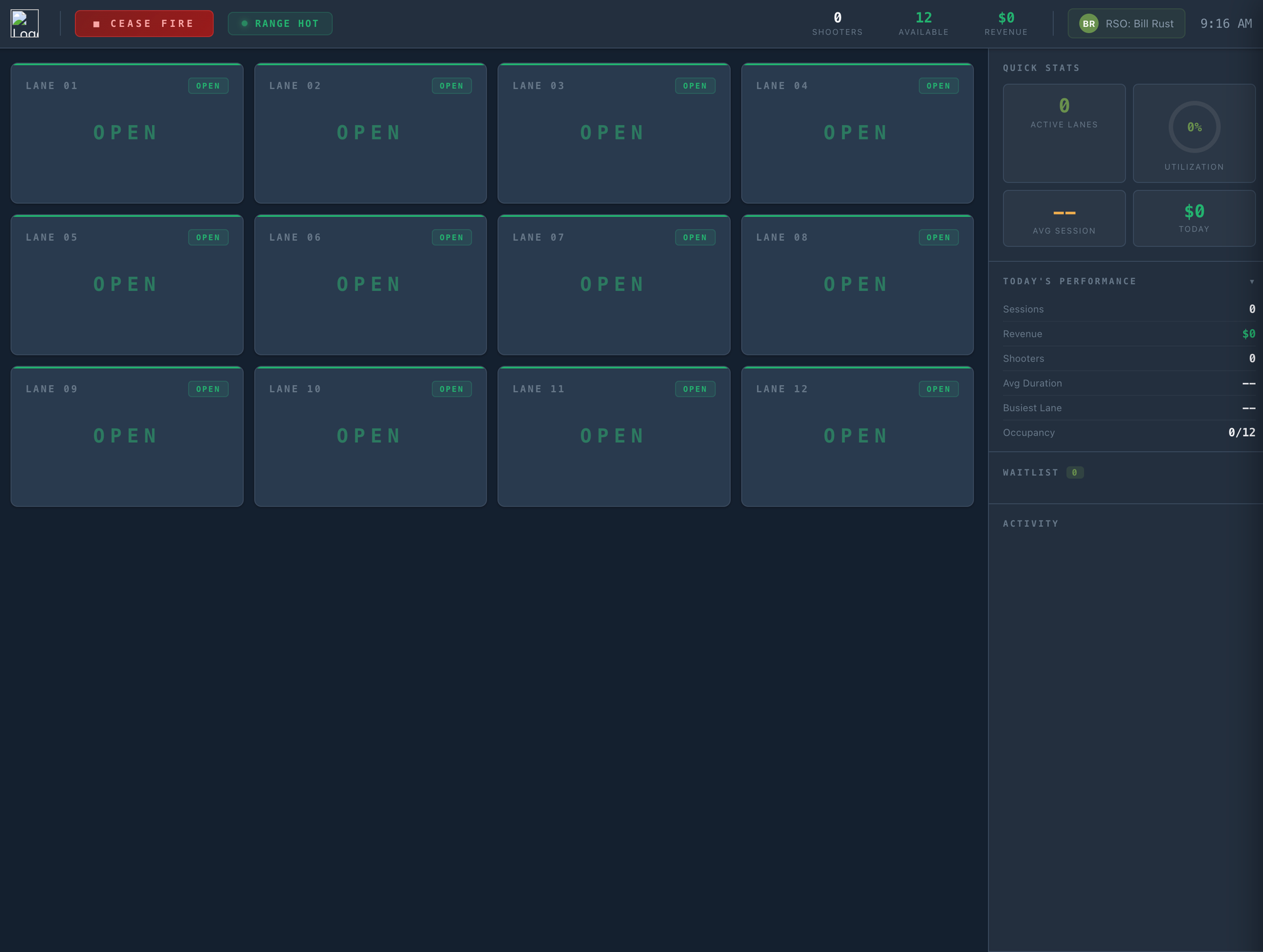
Run your range from the same system
If your store has a range, you're probably running it on different software than your retail floor. Lane reservations come in through one system, waivers through another, and range billing gets handled separately from the counter POS. Your range staff and your retail staff are sharing a building and sharing customers, but not sharing any operational data. A customer who rents a lane and buys ammo at the counter is two separate transactions in two separate systems, and there's no clean way to see the full picture of what they spent or what they need.
A real-time lane management dashboard, electronic waivers, session timers, memberships — all integrated with your POS. No separate range software. No double-entry. One system for the entire operation.
- Live dashboard with lane status, session timers, and occupancy stats
- Electronic waivers with e-signature — public kiosk or counter tablet
- Session billing flows directly into POS checkout
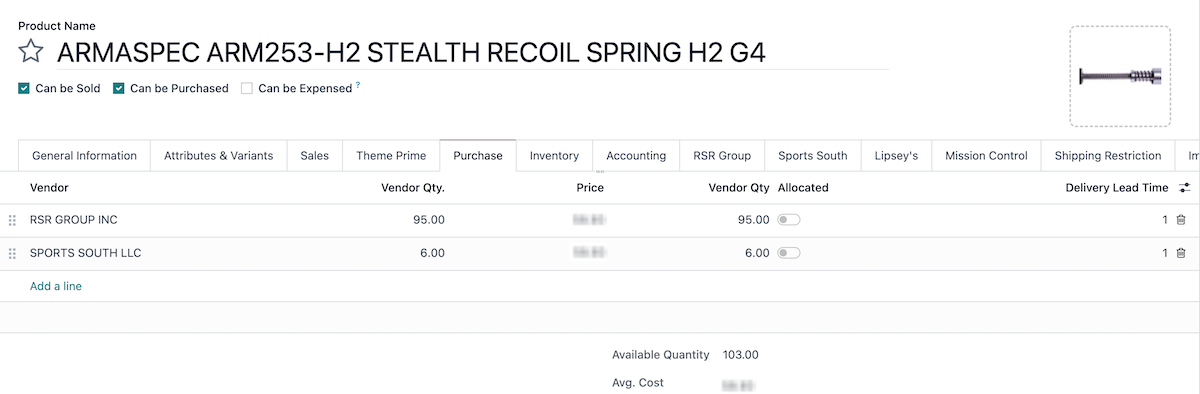
Distributor stock levels flow into your catalog automatically
If nobody set up an automated process, then someone on your team is periodically doing manual checks — looking at distributor portals to see what's changed, what's new, what's gone up in price. That's time that doesn't scale. A distributor adds a new SKU and it won't appear in your system until someone finds it. A price increase goes live on the distributor side and you don't find out until a PO comes back with different numbers than you quoted a customer. Discontinued items stay visible to your staff and potentially to online customers until the manual cleanup happens.
New products appear in your catalog. Pricing updates happen in real time. No manual data entry.
- Auto-import new products from distributor feeds
- Real-time pricing and availability updates
- Out-of-stock products automatically updated
- Product matching prevents duplicates across distributors
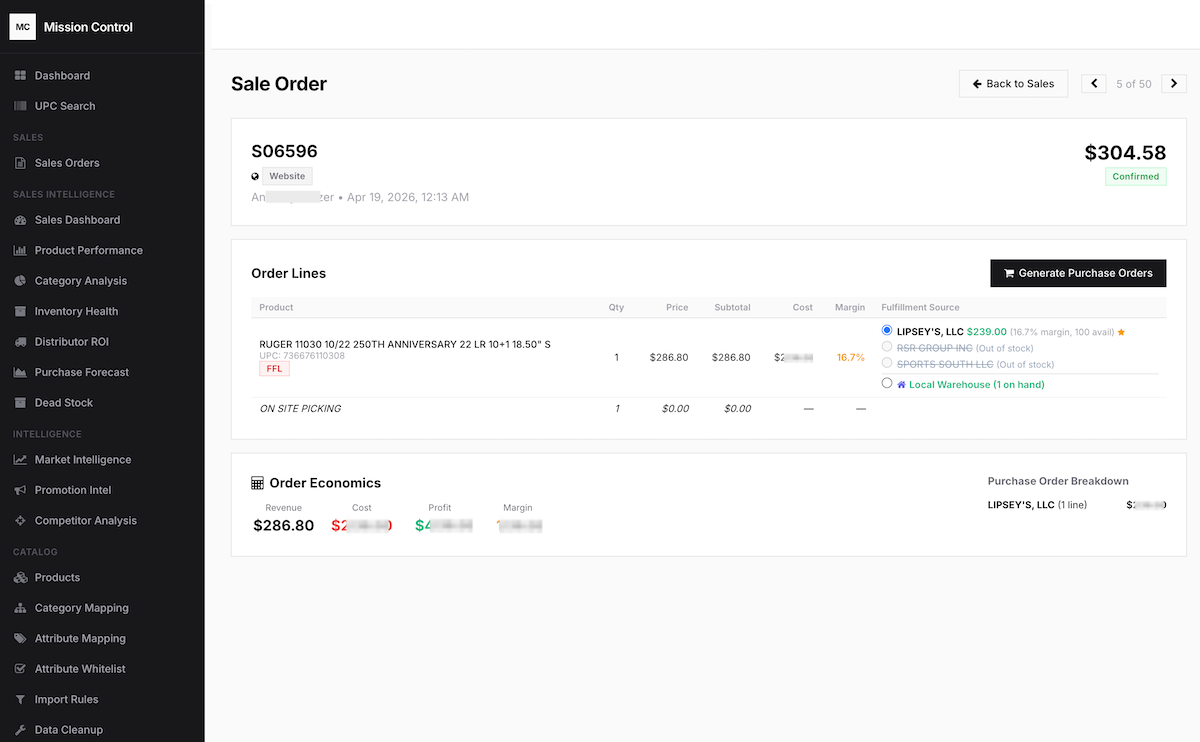
Generate purchase orders without leaving your sale order
Sourcing a firearm or accessory for a customer order shouldn't require logging out of one system and into another just to place the purchase. But in most shops, that's the routine — find the item in your sales system, leave it, log into the distributor portal, search for the same item, enter the order, then come back and update the customer record manually. Drop-ships make it worse. Now you're also entering the customer's shipping address, their FFL information, and tracking the inbound and outbound legs of the shipment across systems that have no awareness of each other.
See a customer order that needs fulfillment? Select the best distributor source and generate the PO in one click. Drop-ship address, item numbers, pricing — all handled automatically.
- Fulfillment source selection per order line
- Automatic best-price distributor suggestion
- Drop-ship POs with customer address pre-filled
- API-based ordering — no distributor portal login required
Integrated with the distributors you already use
Direct API and data feed integrations — with more being added regularly.




What an FFL ERP Should Include
A real FFL ERP should cover the core operating needs of a firearms business:
- POS
- Serialized inventory
- ATF compliance workflows
- Accounting
- Purchasing
- Distributor integrations
- eCommerce
- Range management
- Manufacturing
- Reporting
The test is simple: if the data has to be exported, cleaned up, re-entered, or reconciled later, it is not really one system.
Frequently Asked Questions
Which firearms distributors does FFLERP integrate with?
FFLERP has direct API integrations with RSR Group, Lipsey's, and Sports South. We also support Davidsons and Chattanooga Shooting Supply through our GunStoreData platform. Additional distributors are added regularly based on client demand.
How does automated inventory sync work?
FFLERP connects to each distributor's API or FTP feed and pulls real-time inventory levels and pricing on a scheduled basis. When a distributor's stock or cost changes, your Odoo product catalog updates automatically. Sync intervals from every 15 minutes to daily.
Can I create purchase orders from a sale order automatically?
Yes. When a customer places an order for an item you don't have in stock, FFLERP's Mission Control dashboard shows available fulfillment sources across all connected distributors with current pricing. One click creates and submits the PO directly to the distributor's system.
Does FFLERP support drop shipping from distributors?
Yes. FFLERP handles full drop-ship fulfillment including FFL-to-FFL transfers. When you create a drop-ship PO, the customer's FFL information is automatically included. The system tracks the order through the distributor's portal and updates your Odoo order when it ships.
See how we stack up against every other option.
Compare POS-only tools, website/feed platforms, and full FFL ERP systems.
See it all in action
From the register to the range, from the warehouse to the website. Book a demo and we'll walk you through the entire platform.